Redact Documents
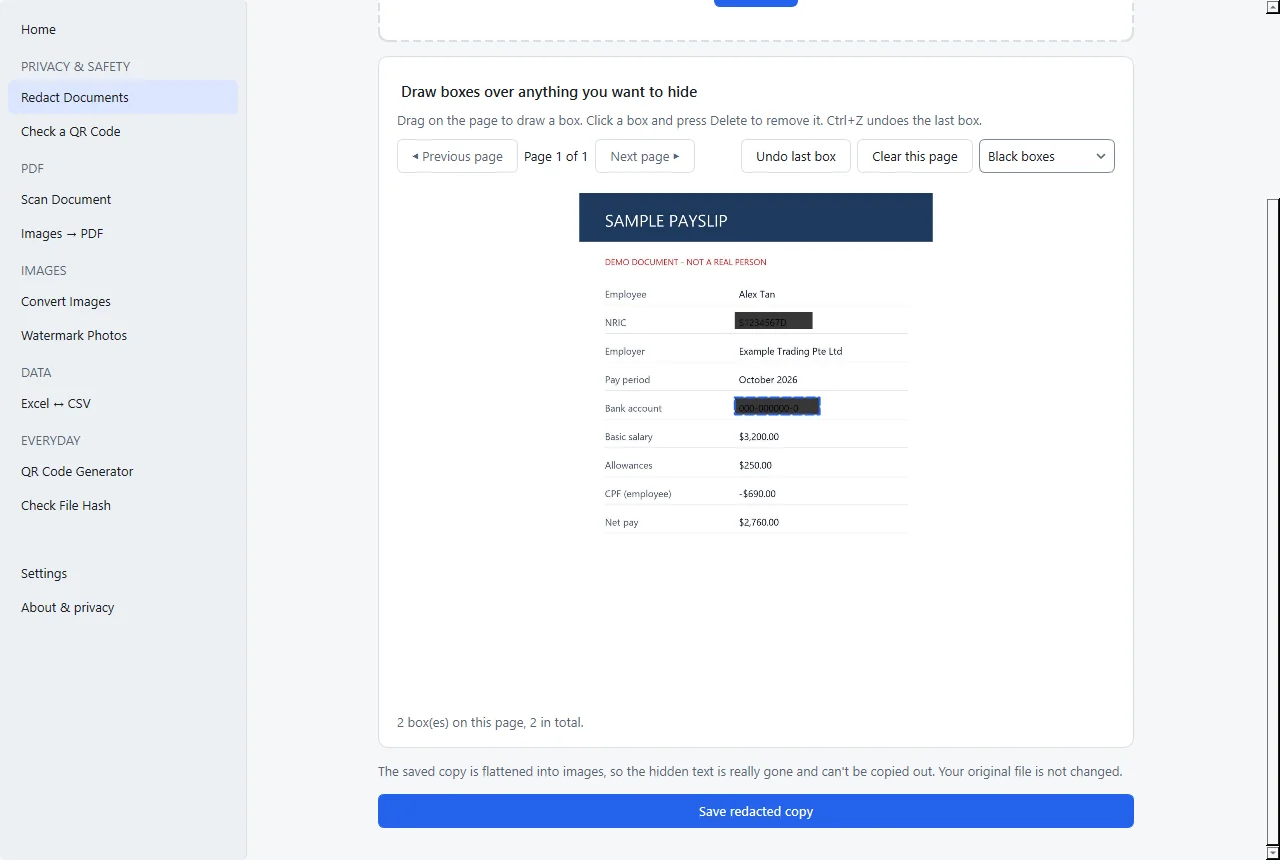
Draw boxes over anything in a PDF or photo, page by page, filled black or white.
The saved PDF is flattened to images, so hidden text can’t be copied or searched out.
 Free Desktop App
Everyday file tools that run entirely on your computer. Redact, scan, watermark, convert and check files without uploading anything.
Offline Tools is a desktop app. Open this page on your Windows PC or Mac to download it.
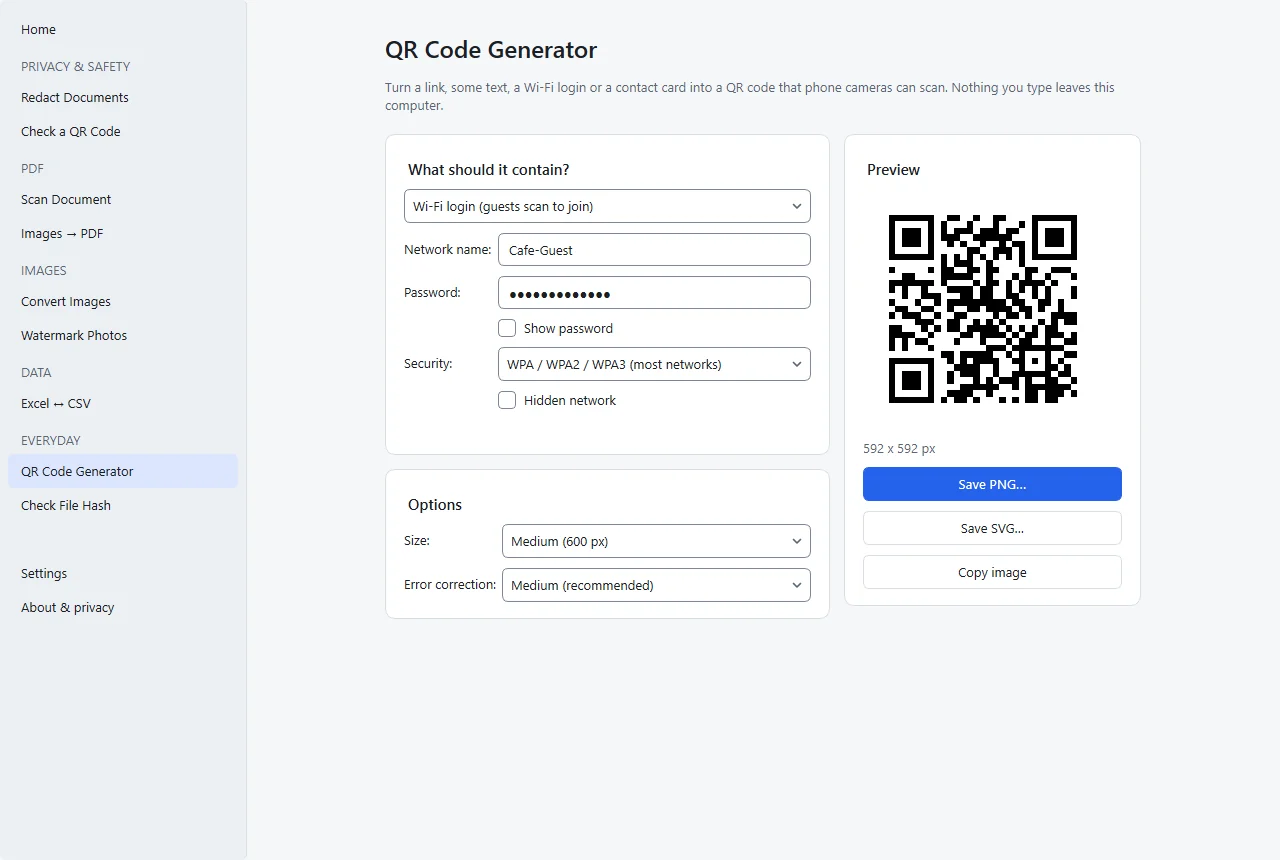
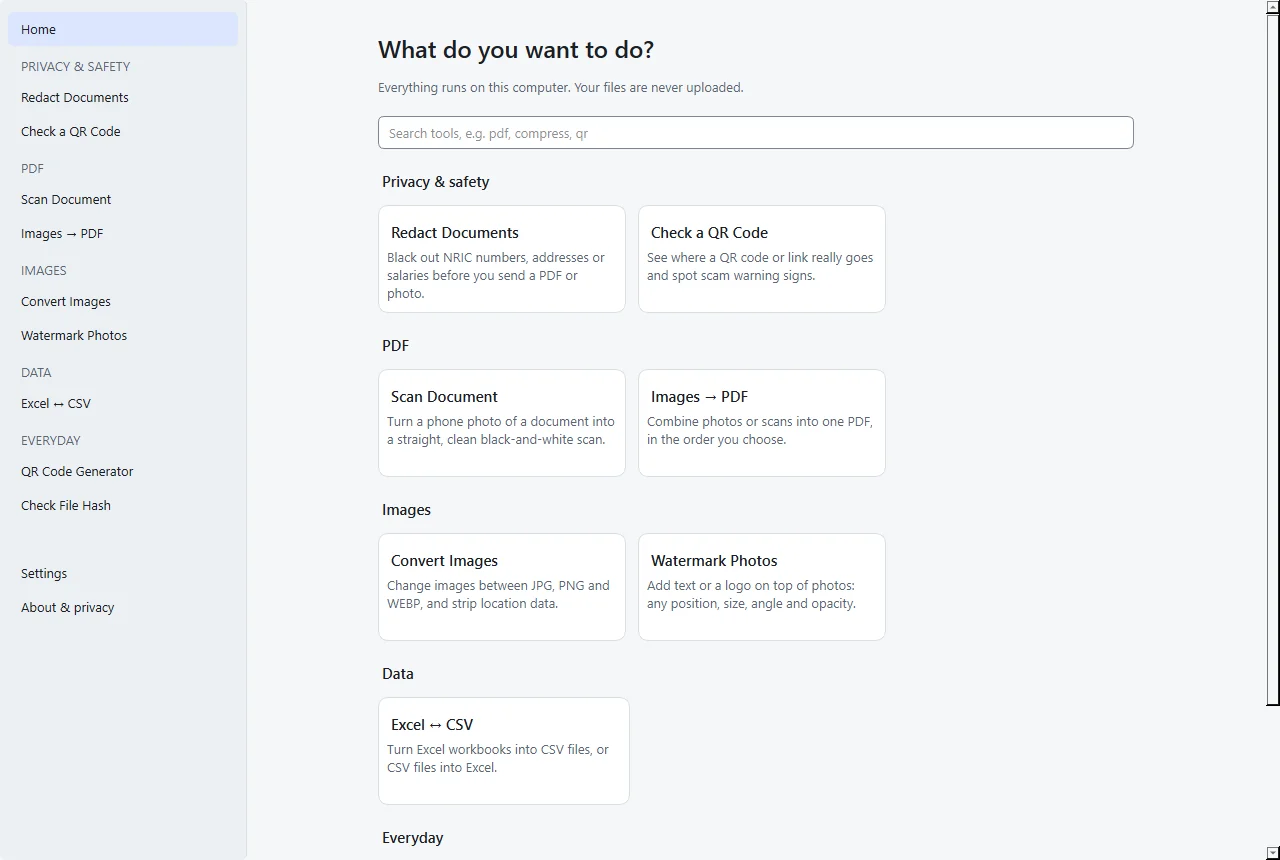
Real screenshots from version 0.2.1, using made-up sample documents.
Online converters ask you to upload NRICs, payslips and certificates to someone else’s server. Offline Tools doesn’t.
Your files never leave your computer. Every tool works on the copy you already have.
The app makes no internet connections at all. There’s nothing to sign up for.
Anyone can read the code. See the source on GitHub.
Results are saved as new files. Your originals are never overwritten.
Draw boxes over anything in a PDF or photo, page by page, filled black or white.
The saved PDF is flattened to images, so hidden text can’t be copied or searched out.
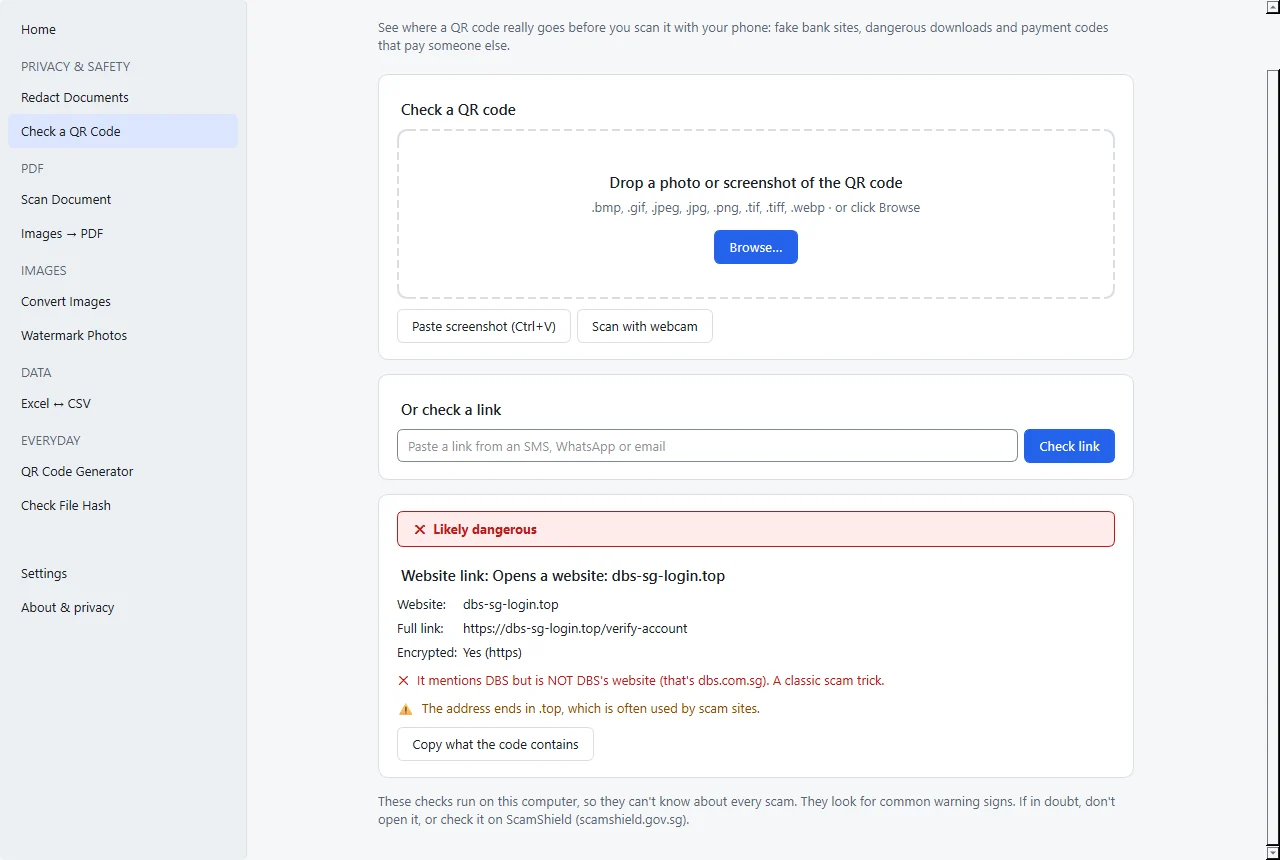
Read a QR code from a photo, a pasted screenshot, the webcam or a pasted link, then get a verdict: OK, Caution or Danger.
Flags fake bank and government look-alikes, hidden short links and risky downloads. For PayNow/SGQR codes it shows who you’d actually pay.
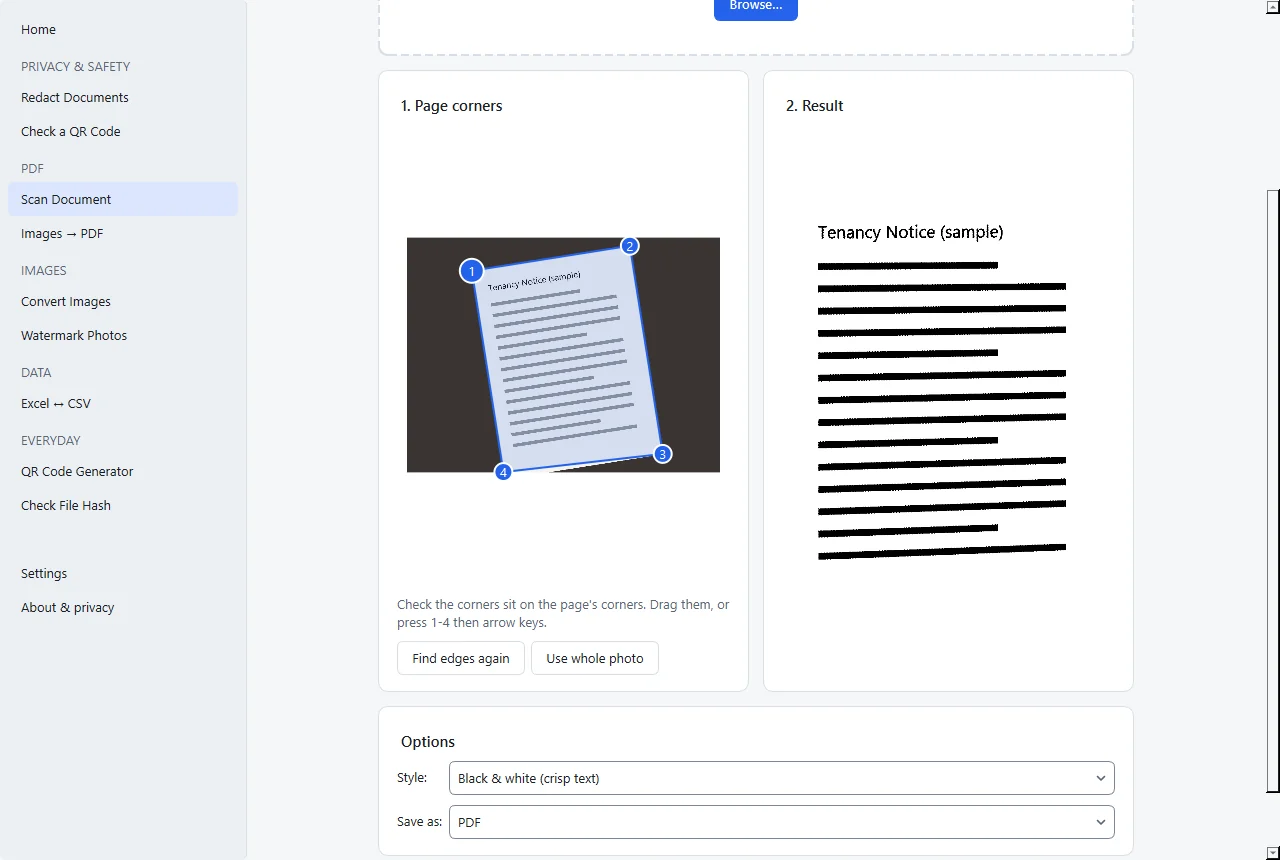
Turn a phone photo of a page into a straight, clean scan.
Finds the corners automatically and removes shadows. Saves PDF (A4), JPG or PNG.
Combine photos or scans into one PDF in the order you choose.
Page size from the image, A4 or Letter, with margins. Phone photos are auto-rotated.
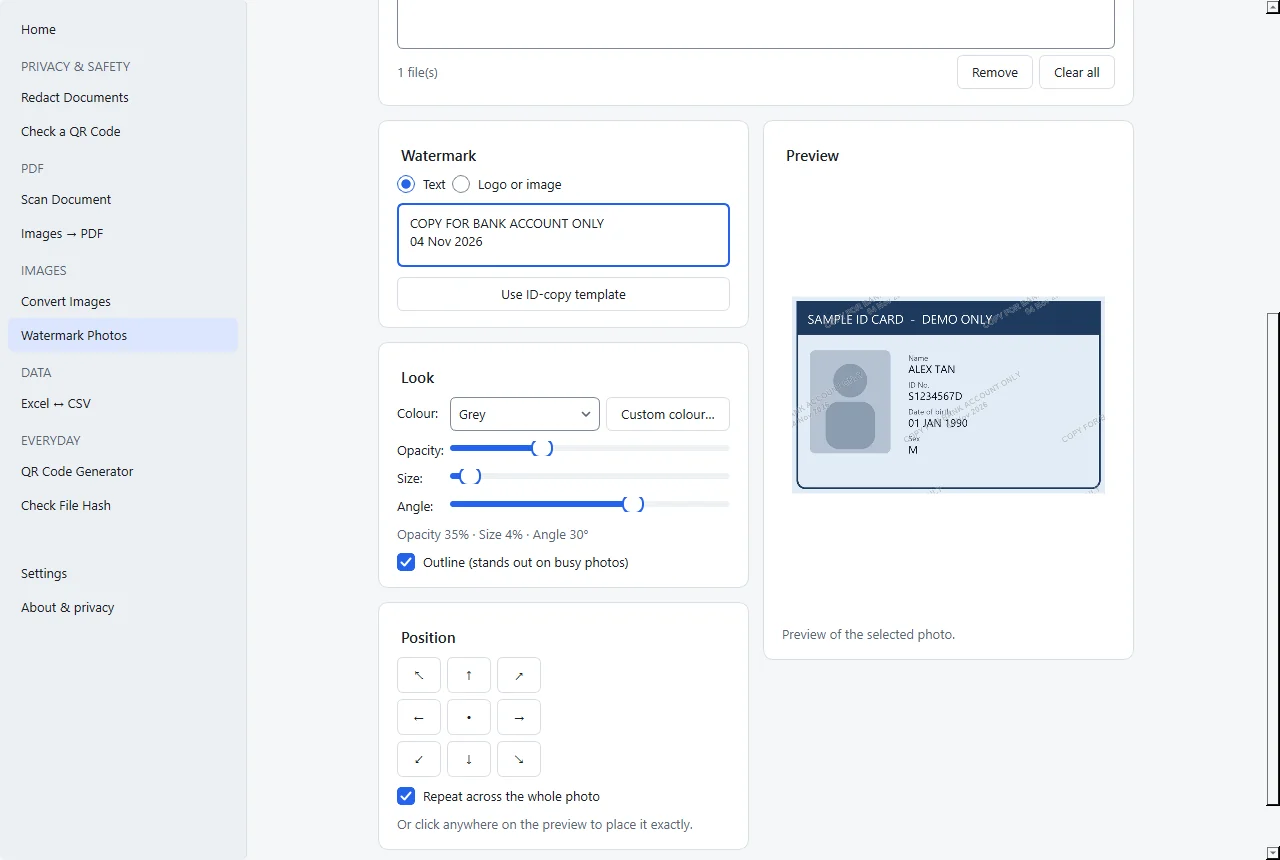
Put text or a logo on photos, on many photos at once.
The ID-copy template fills in “COPY FOR ______ ONLY” plus the date. Location metadata isn’t copied.
JPG, PNG and WEBP in batches, with a quality slider.
Camera and location metadata is removed.
One sheet or all sheets to CSV, or CSV to .xlsx.
Keeps leading zeros and long IDs as text, and blocks formula injection.
QR codes for links and text, Wi-Fi logins guests can scan to join, and contact cards.
Live preview. Save as PNG or SVG, or copy the image.
SHA-256, SHA-1 or MD5 of any file, compared against an expected hash.
Handy for checking this app’s own download.
Coming next: compress PDFs and images, merge and split PDFs, HEIC → JPG.
The app isn’t code-signed yet, so Windows and macOS show a warning the first time. Here’s exactly what to click.
If you see “Windows protected your PC”, click More info → Run anyway.
Follow the installer, then open Offline Tools from the Start menu or the desktop shortcut. It installs for your user account only and doesn’t need administrator rights.
Drag Offline Tools into Applications.
Open it once. When macOS blocks it, go to System Settings → Privacy & Security, scroll down, click Open Anyway and confirm with your password. Right-click → Open no longer works on current macOS versions.
A SHA-256 checksum is a fingerprint of a file. If the fingerprint of your download matches the published one, the file wasn’t altered on the way to you. The checksums for the current release are in SHA256SUMS.txt.
Windows (PowerShell, in your Downloads folder)
Get-FileHash .\OfflineTools-Setup.exeMac (Terminal, in your Downloads folder)
shasum -a 256 OfflineTools.dmgOnce it’s installed, the app’s own Check File Hash tool can do this too.
Offline Tools makes no network connections. There’s no telemetry, analytics or automatic update check. The QR checker works offline, and the webcam picture never leaves your computer. The source code is public so anyone can verify this.
Yes. It’s open source (GPL-3.0) with no paid version, ads or account.
The app isn’t signed with a paid code-signing certificate yet. Warnings appear for any unsigned app. The code is public and every release lists checksums.
No. It makes no internet connections at all.
Not yet. Windows 10/11 (64-bit) and Apple Silicon Macs only.
Download and install the new version over the old one. Your settings are kept.
Windows: Settings → Apps → Installed apps → Offline Tools → Uninstall. Mac: drag Offline Tools from Applications to the Bin.
This can happen with new, unsigned apps built with Python. It’s a false positive. You can check the file on virustotal.com, and the source is public.
Open an issue on GitHub Issues, or send us a message through the contact form.